Try every feature free for 28 days. No card needed.Free for 28 days. No card.

PROFESSIONAL VIDEO SWITCHING SOFTWARE

Every screen.
One switch.

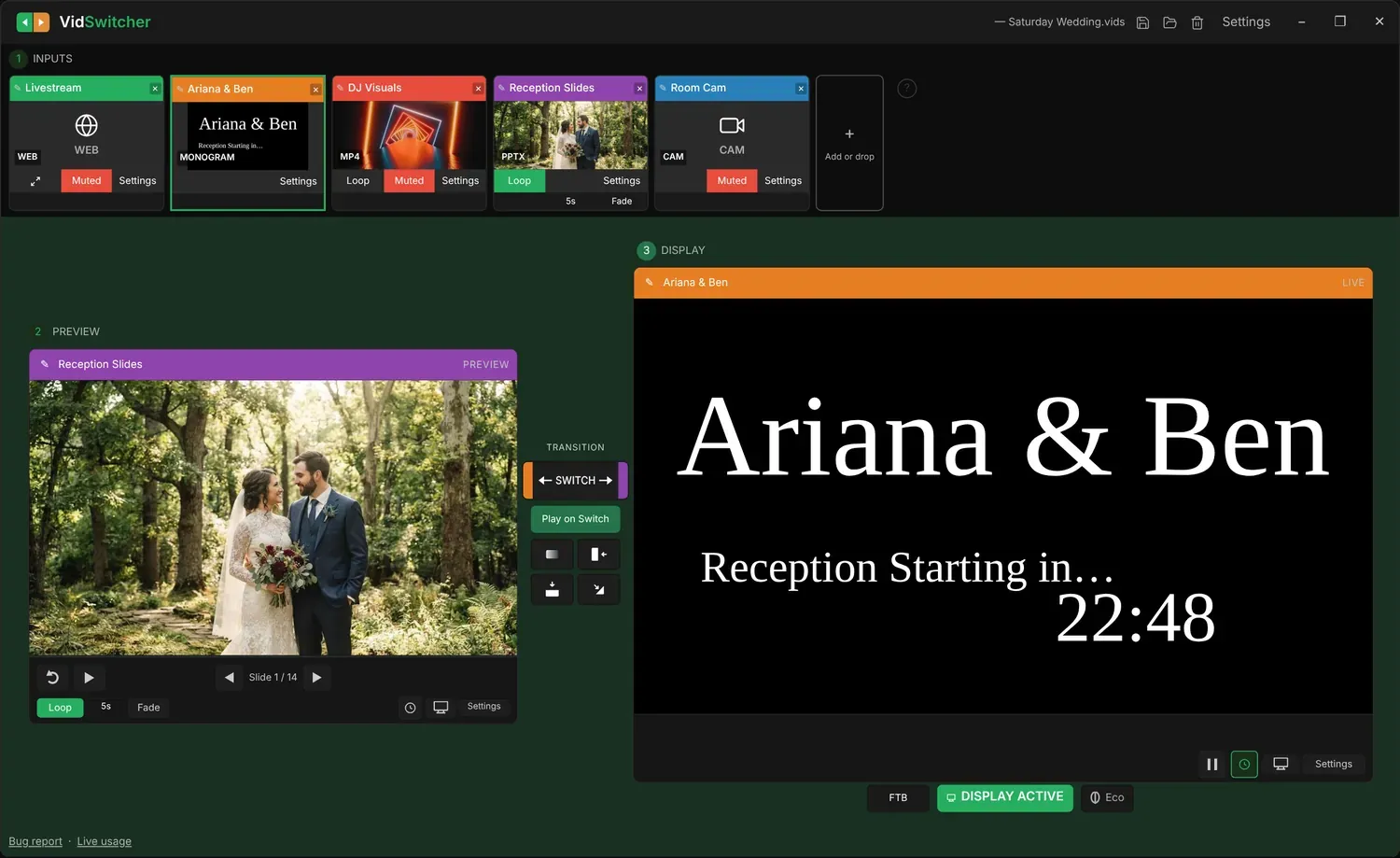
VidSwitcher brings your videos, images, presentations, web pages and live cameras together in one window, then switches them to the audience screen when you’re ready.

Media switching for weddings, churches, conferences, LED panels and everything else.

For Windows 10 or later · 64-bit

0:00 0:00

Go ahead, try it. Click an input, then switch it to the screen.

VidSwitcher
— Saturday Wedding.vids Settings −❐︎✕︎
1INPUTS
✎︎Livestream✕︎
WEBWEB
MutedSettings
✎︎Ariana & Ben✕︎
Ariana & BenReception Starting in…MONOGRAM
Settings
✎︎DJ Visuals✕︎

MP4
LoopMutedSettings
✎︎Reception Slides✕︎
PPTX
LoopSettings
5sFade
✎︎Room Cam✕︎
CAMCAM
MutedSettings
+Add or drop
?Accepted media typesVideoMP4, MOV, AVI, MKV, WMV, M4VImagesJPG, PNG, BMP, GIF, WEBP, HEIC/HEIFPowerPointPPTX, PPTM, PPSX, PPSM, POTX, POTMAudioMP3, WAV, M4A, AAC, WMA, FLACPDFPDFAlsoFolder slideshow, Monogram, Web page, Camera
2PREVIEW
✎︎PREVIEW
TRANSITION
Play on Switch
3DISPLAY
✎︎LIVE
FTB DISPLAY ACTIVE Eco
Audience screen
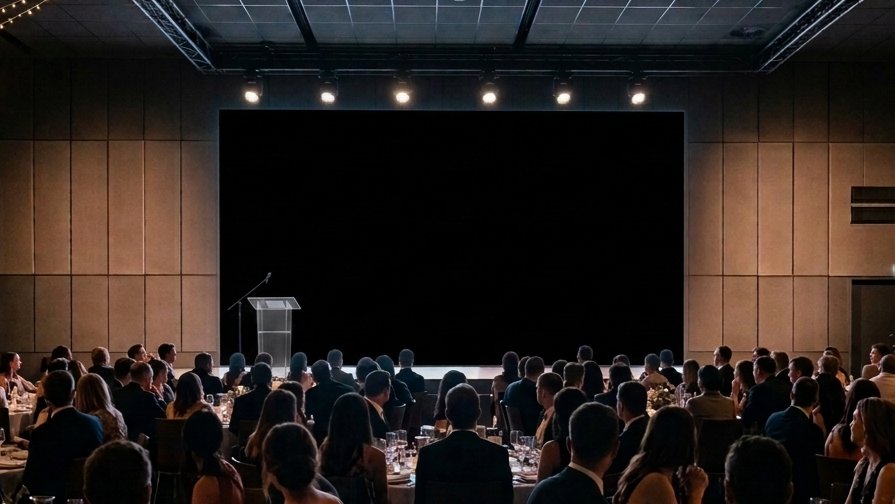
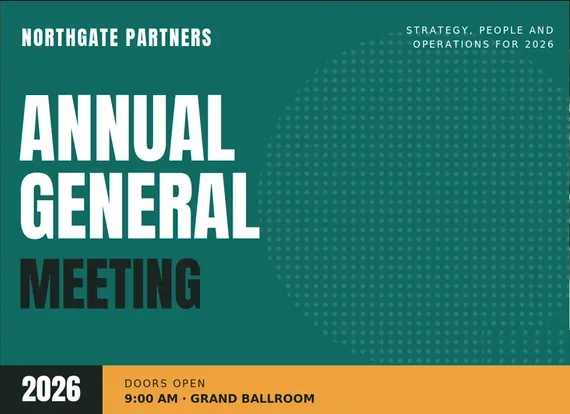
What your audience sees

The camera input is showing a sample image.

Everything comes
into one place.

Videos, images, PowerPoint, web pages, cameras and audio all load as inputs in the same window, ready to switch.

Video
Images
PowerPoint
Web page
https://lyrics.example
Camera
Audio

Pick an input.
Watch it switch.

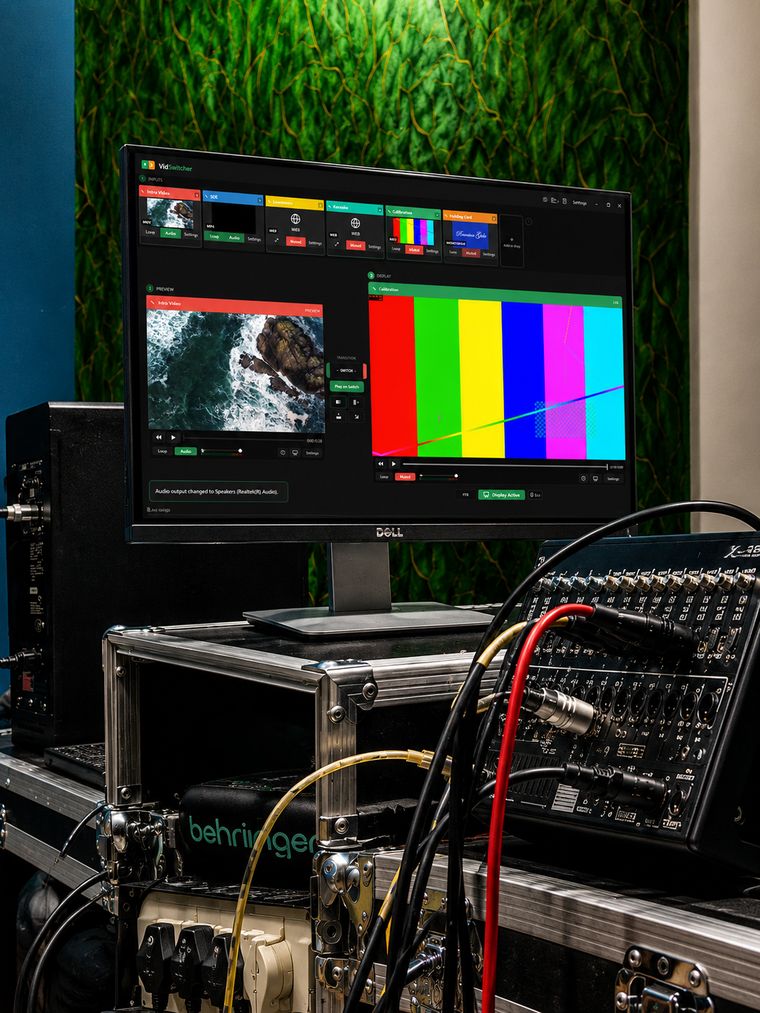
Two screens, kept apart: the one you work on, and the one the room sees. Nothing reaches the audience until you send it.

VidSwitcher running on a monitor in a live-event equipment rack

The show doesn’t stop

No Wi-Fi.
No problem.

The show keeps running.

Everything VidSwitcher plays lives on your laptop, so the venue’s internet doesn’t matter.

  • No account to sign into. One key, nothing to log in to at the venue.
  • Show files stay local. They never leave your machine.
  • Updates wait. Always the latest version, and never mid-show.

And Windows stays off the big screen.

Notifications silenced, taskbar hidden, your own image behind the desktop. If a monitor or the sound output changes, you’re told straight away.

Notifications may reach the audience.Silence Notifications
Monitor disconnectedAudio output 'Speakers (Realtek High Definition Audio)'
Your system sound is low or mutedYour audience may not hear anything.Open sound settings×

Drag in the folder.
Walk away.

Drop in a folder of photos and videos for a looping slideshow, with your own slide times and fades.

84

Never show an
empty screen.

Type names and a date, pick a colour, and you have a holding slide in seconds.

BeforeAfter one click
Monogram✕
#6B3D8A
Line 1
Edwardian Script ITC▾✕
Line 2
Edwardian Script ITC▾✕
Set as desktop background✕

Make this the computer's desktop background?

Fit mode
Fit
Background color
CancelApply
Monogram✕
MONOGRAM
Settings

Your desktop,
show-ready.

VidSwitcher sets it as the extended screen’s desktop background, so it shows even when nothing is outputting.

BeforeAfter one click
Monogram✕
#6B3D8A
Line 1
Edwardian Script ITC▾✕
Line 2
Edwardian Script ITC▾✕
Set as desktop background✕

Make this the computer's desktop background?

Fit mode
Fit
Background color
CancelApply
Monogram✕
MONOGRAM
Settings

Give every speaker
a confidence boost.

Type a time and a short note, press OK, and the countdown runs on the screen at the speaker’s feet.

Your presentation.
Under control.

Plug in any USB presentation clicker. Next, Back and Blank drive the audience screen, never your preview.

A generic remote. Yours will look different and work the same.

Audience screen Slide 1 of 4

AGENDAToday
  1. Welcome and opening
  2. Keynote
  3. Strategy for 2026
  4. Questions
KEYNOTEBuilding for
the next decade
THANK YOUQuestions?

Intentionally small

Small footprint.
Full control.

Light enough for a modest laptop. Eco Mode frees up even more power for the show.

Eco Mode is off: the Display panel is drawing.Eco Mode is on: the Display panel stops drawing. The audience screen keeps running.

Used by the people
behind the show.

Built alongside the technicians at Emporium Audio Visual and DJ Emporium, who run it on real shows every weekend.

Pricing

One product. Every feature.

Free updates forever. One key runs all your computers. 30-day refund.

Free trial

$0

28 days · no card


Free for the trial period
1 Computer


✓4 input slots
✓1 computer, 1 key
✓Every feature, unlocked
✓Works fully offline
×Expires after 28 days
Start free trial
Most popular

Subscription

$29 /month, billed annually

Save 21% compared with paying monthly.

That’s $0.95 a day.


Monthly YearlySave 21%
Computers


✓100 input slots
✓4K output included
✓1 computer, 1 key
✓Every feature, unlocked
✓Works fully offline
✓Free updates forever
✓30-day refund
✓Cancel anytime
Buy Subscription
Best value

Lifetime

$578 once

$578 per computer

Pay once, yours forever.


One-time payment
Computers


✓100 input slots
✓4K output included
✓1 computer, 1 key
✓Every feature, unlocked
✓Works fully offline
✓Free updates forever
✓30-day refund
✓Never expires
Buy Lifetime

Running more than 99 computers?

Ready when
the room is.

Set up VidSwitcher and take control of your next show.

Or start a free 28-day trial. No card needed.

Enterprise contact

VidSwitcher is sold in 1–99 computer licences. Larger deployments aren't a standard product — we work with those companies directly. Tell us what you need and we'll figure out what fits.